ASUS DRW-1814BLT Super Multi DVD-Writer Review

Author

KIPPER
Retired Moderator & Reviewer
Article posted 31 May 07 06:59

Introduction


Review:  ASUS DRW-1814BLT
Reviewed by:  The Kipper
Provided by:  ASUS – USA
Firmware:   1.10
Manufactured:  March 2007

ASUS USA was kind enough to send us their latest Multi Function (X Multi) DVD Burner: the ASUS DRW-1814BLT internal SATA drive. ASUS’ newest DVD burner incorporates DVD-RAM recording, creating a true DVD Multi drive. Single layer 4.7GB DVD burning is supported at 18X max. Double Layer and Dual Layer recording speed is 8X max. DVD Rewritable speeds are 8X max for DVD+RW and 6X max for DVD-RW respectively. DVD-RAM recording is supported at 14X max.  CD-R is recorded at a very fast 48X max and CD-RW at 32X max.
 

In this review we will test the performance of the DRW-1814BLT by running the drive through many tests with a considerable amount of various CD/DVD media.


Company Information


ASUS, a technology-oriented company blessed with one of the world’s top R&D teams, is well known for high-quality and innovative technology.  As a leading provider of 3C (computers, communications and consumer electronics) total solutions, ASUS offers a complete product portfolio to complete in the new millennium.

In 2006, the company shipped 55 million motherboards, which means one in three desktop PCs sold last year was powered by an ASUS motherboard.  Our 2006 revenues reached US$16.5 billion, and is expected to garner US$23 billion in 2007.

ASUS product’s top quality stems from product development.  It’s like learning Chinese Kung-Fu; one must begin with cultivating the “Chi” and inner strength.  Besides innovating cutting-edge features, ASUS engineers also pay special attention to EMI (electromagnetic interference), thermal, acoustics and details that usually go unnoticed to achieve complete customer satisfaction.  ASUS notebooks are the first TCO’99- certified notebooks worldwide. The requirements for this honor include radiation emission control, energy (batter consumption), ecology (environment friendly) and ergonomics.

To succeed in this ultra-competitive industry, great products need to be complimented by speed-to-market, cost and service.  That’s why all 100,000 over employees of ASUS strive for the “ASUS Way of Total Quality Management” to offer the best quality without compromising cost and time-to-market while providing maximum value to all customers through world-class services.

With unyielding commitment to innovation and quality, ASUS won 2,168 awards in 2006, meaning on average, the company received over 5 awards everyday last year.  BusinessWeek ranked ASUS amongst its “InfoTech 100” for the 9th straight year.  The readers of Tom’s Hardware Guide, the world’s largest IT website, selected ASUS as the best maker of motherboards and graphics cards.  Furthermore, the company is ranked as No.1 in quality products and services by the Wall Street Journal.



Drive Specifications
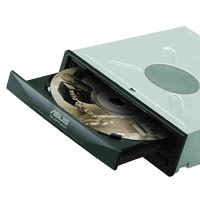

Multi Function: (X MULTI+LightScribe)

Max Write:  18X DVD+R/8X DVD+RW/6X DVD-RW/8X DVD+R (DL)

Max Write:  48X CD-R/32X CD-RW

Max Read:  16X DVD-ROM/40X CD-ROM

Max Write:  14X DVD-RAM

 

Over-Speed Burning

Burn 2.4X DVD+R (Double Layer) Disc at 8X Speed


FlextraLink™ Buffer Under-run Errors Prevention Technology

Built-in FlextraLink prevents users from buffer under-run problems and eliminates the creation of unusable discs.  Throughout the recording process, FlextraLink consistently monitors the data buffer status to ensure best recording quality under high-speed operation.


FlextraSpeed™

Built-in FlextraSpeed and AI Auto Speed Adjustment Tech. enhance accuracy and reliability when reading/writing/re-writing across a broad range of certified media in different formats.  FlextraSpeed continuously monitors the recording media and sets the optimal writing speeds to ensure best recording quality.  The ASUS proprietary FlextraSpeed occupies minimal system resources so the PC remains full operational and available for other applications even during recording process.


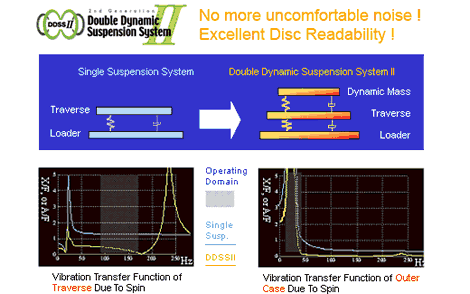
Superior Stability with DDSSII

The DDSSII technology is designed to minimize the vibration caused by the spindle motor and resonance between components as well as the drive and PC cases.  The ASUS patented DDSSII stabilizes, both horizontally and vertically, the pick-up head, achieving more precise tracking and focusing, while reducing vibration and noise caused by high-revolution spindle motors.
 

LightScribe

The ASUS DRW-1814BLT as a LightScribe drive enables images to be burned onto LightScribe Discs, both CD and DVD.  Make a label whenever and wherever you want with your PC and burner.  It is Simple, Compatible and Flexible. 



Book type (bitsetting):

Automatic bitsetting is supported by the ASUS DRW-1814BLT.  DVD+R, DVD+RW and DVD+R DL will burn with the DVD-ROM booktype; the drive will remember these settings so once you have them set you won’t need to change them unless you want to make future changes.

Using Nero CD-DVD Speed we can see that the BookType settings are now set to DVD-ROM.

We can ensure that our discs were truly written with DVD-ROM book type by checking the “Disc Info” section from within Nero CD-DVD Speed.  The information should look like this:


What’s inside the box?

The drive we received was an OEM Drive; the Internal SATA Drive ASUS DRW-1814BLT
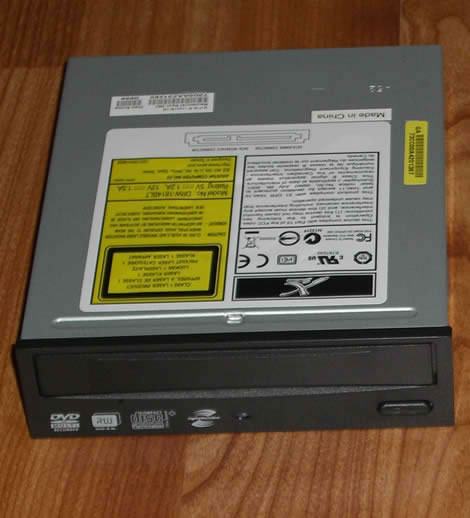


Now let’s take a closer look at the drive itself:
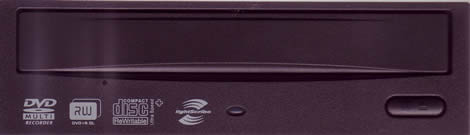
Drive Front
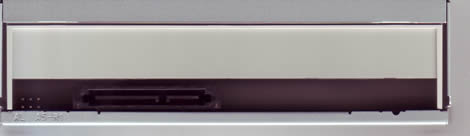
Drive Rear
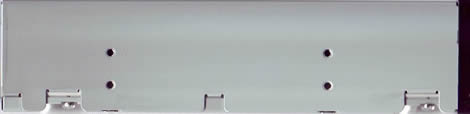
Drive Left
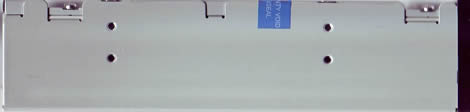
Drive Right
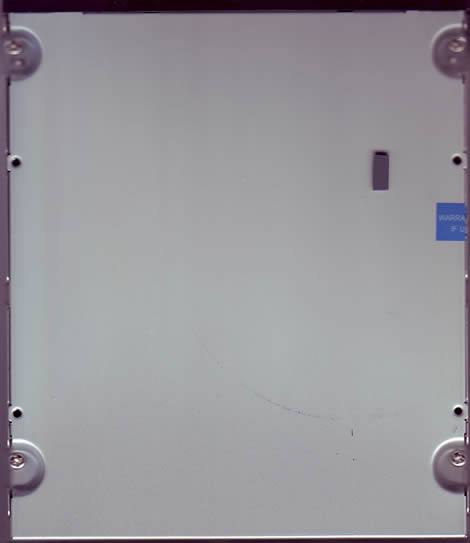
Drive Bottom
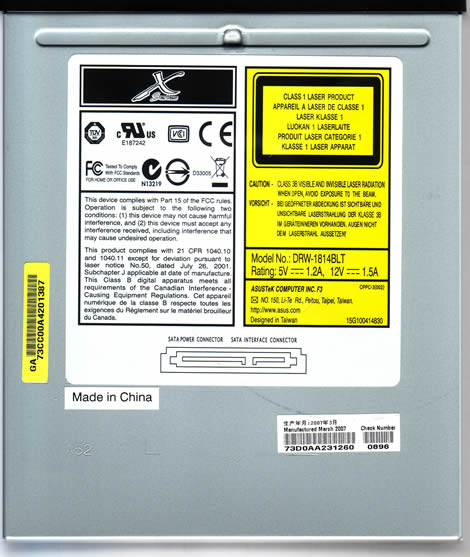
Drive Top
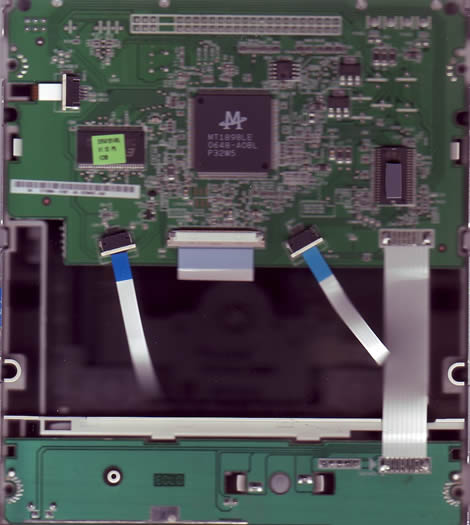
Drive Insides



15 Comments

puki ajam
Posts: 97
Posted on: 03 Jun 07 09:57
looks good, can it overburn??
zebadee
Posts: 5233
Posted on: 24 Jun 07 19:22
Hi I have tried this drive & found it sadly lacking. It was noisey + slow (when compared to my other drives). However I have to add that the drive failed after just 8 days. So may not be a fair reflection. The dealer who supplied me this drive though claimed it gave him a headache & has now stopped supplying this drive.
puki ajam
Posts: 97
Posted on: 25 Jun 07 17:12
not that good then
guest
Posts: 15284
Posted on: 26 Jun 07 16:55
I have got one. Has two major drawbacks: - Flashing new firmware needs to be done using a Windows program. Impossible to flash when running Linux - Upon flashing on a Windows system, the program reported "Failed" without any further info. Drive was completely screwed, so I had to replace it. Did not dare to flash the new one yet...
T3R
Posts: 26
Posted on: 26 Jun 07 20:49
I have compared this drive with Pioneer DVR-112 on few 16x +- Verbatim media, altought completely different in design both drives are fairly similar in operation speed-vise, but ASUS is fairly more silent. Most interesting, I am very surprised it gives two times less PIE/PIF errors on the same recording speed than Pio. Seems ASUS made good thing switching to MediaTek after all. Higly recommended.
guest
Posts: 15284
Posted on: 30 Jun 07 21:07
I'm Thai. I have just bought this SATA ASUS DVD-Writer, but i can't install "Nero7 Essential ASUS D070 V.7.5.13.1" because I have no SERIAL No. of this program. In my DVD box bought : 1. DVD-Writer 2. Manual "Optical Internal Drive Installation" 3. CD "Nero D070" 4. Bochoure"ASUS Make your mark..." I'm not sure that the saler kept other thing except this four things or not. However, I would like to hurry up to test the subscribe. Please help me the SERIAL No by sending E-mail to me "studentthai@hotmail.com". For other thing is not in the box if there is, i will ask the saler for the thing lost from the box. Comment : I have just used the DVD-Writer. I feel that this drive make the computer slow in sometimes including sometimes reading from this drive. & Usually my case has the mask in front of the DVD/CD drive, but this DVD writer can't be used with this mask. However, I think that there is no problem in long time for this ASUS DVD writer because I had ever used the ASUS CD when a few years ago with good work. This makes me confident to use this ASUS.
zwelf
Posts: 1
Posted on: 16 Sep 07 16:39
Please guys, I need your help. I have just recently bought asus drw1814blt, and for a while everything was great. But, a few days after I've installed winXP x64, the computer stopped showing it in my computer and in total commander. So now I cannot use it at all. I've tried reinstalling the driver manually and using device manager without any response. When I try to refresh the driver, the error message says that the missing data in the registry is preventing it from installing the driver. :c
guest
Posts: 15284
Posted on: 05 Oct 07 00:30
my father has purchased a new computer with a asus 1814bl dvd writer installed,the problem i am having is that the writer keeps spitting the dvd out that i want to copy after 25% saying read error ,but when i try it on a different computer it copies all the way through it had nero 7 in the box which the shop installed. i have updated the firmware on the asus site and nero 7, but it still won't work is there anything else i can try
guest
Posts: 15284
Posted on: 13 Nov 07 00:10
Hey, I am in need of some serious help here. I recently bought the the Nero 7 software for my computer, installed it and everything, only now it won't play any DVD's. It says something about needing to update a 'code' reader or something? I'm a college student and money is SUPER tight right now. I called Best Buy (it's where I purchased from) and they said they can install a diferent program, VLC, but don't know what to do about my problem.... I've downladed VLC to my usb card and onto my computer and THAT plays them but I'm realy hoping to get my money's worth out of the NERO. If anyone knows how i could update whatever it is that needs updating could you please let me know? Thanks.
guest
Posts: 15284
Posted on: 20 Nov 07 00:14
It's *NOT* a 3-Sheep-Burner
guest
Posts: 15284
Posted on: 28 Nov 07 00:03
Although my drive is still working, the lightscribe portion had stopped after making 5 lightscribed discs. If you do a bit of searching on the web you'll find this is a major issue with this drive. I'd steer clear.
acman
Posts: 6
Posted on: 02 Jan 08 05:52
The sheep3 file is the wrong size 402mb it should be 460mb not a 3 sheep burner for me also :c
hcobra
Posts: 5
Posted on: 08 Jan 08 13:14
just woundering if some one could help me, my drive is from region 2 but i put dvd from region 1 now my drive wouldnt change it back to region 2, can i format the computer or do i have to buy another drive??? help apreciated thanks :c
guest
Posts: 15284
Posted on: 11 Feb 08 20:47
I wrote sheep3.dat on a TDK DVD-RW and copy to hard disk without any problems. firmware of my ASUS-DRW 1814BLT is 1.13.
guest
Posts: 15284
Posted on: 13 Feb 08 06:14
I HANVE JUST PURCHASED A ASY-DRW 1814BLT I WAS UNDER THE IMPRESION THAT IT COULD BYE INSTALLED ON ANY OPERATING SYSTEM I EVEN MENTIONED TO THE SUPPLIER THAT I HAVE A WINDOWS ME, HE MADE NO COMMENTS NOW I CANNOT INSTALL THE DRIVE PLEASE HELP :*

Post a comment

Hello guest,
default
To benefit from all extra features you need to log in or sign up.