LG GSA-H55LI Super Multi DVD Rewriter with SecurDisc Technology

Hello guest,
default
To benefit from all extra features you need to log in or sign up.

Author

KIPPER
Retired Moderator & Reviewer
Article posted 22 Jul 07 19:03

Introduction


Review:  LG-GSA-H55LI
Reviewed by:  The Kipper
Provided by:  LG Electronics U.S.A.
Firmware:  1.01
Manufactured:  March 2007

LG Electronics USA was kind enough to send us their new Super Multi DVD Rewriter with SecurDisc Technology, the LG GSA-H55LI.

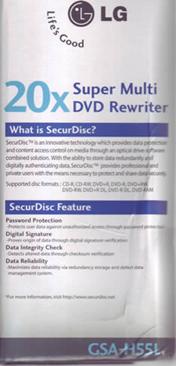
LG’s new Super-Multi GSA-H55LI internal optical disc drive with LightScribe gives you the added feature of burning customized labels with images and text onto the LightScribe media.  This drive is the first to offer the new SecurDisc Technology, a project that is a joint venture between LG and Nero.   This drive is compatible with DVD±R, DVD±RW, and DVD-RAM discs. With an 18x max DVD burn speed, and 12x DVD-RAM, double Layer DVD+R (8.5GB) and dual layer DVD-R (8.5GB) recording is also supported. Burn Fast, Burn Right with the LG GSA-H55LI.

In this review we will test the LG GSA-H55LI’s new SecurDisc functions as well as the reading and writing performance with a variety of DVD and CD media


Company Information

LG is a South Korean industrial group. The name LG comes from an abbreviation of "Lucky-Goldstar", the company’s name until 1995.

LG Electronics was established in 1958. Today, LG Electronics is one of the world’s leading electronics manufacturers.

The LG Electronics U.S.A., Inc. Information Systems Products division (LGE ISP) markets LG-brand LCD displays, as well as optical storage CD and DVD readers and writers, to reseller and retail distribution channels.

As the world’s largest manufacturer of CD/DVD drives, LG CD and DVD readers and writers include such models and CD-Re-Writers (CD-RW), Combo CD-RW/DVD, DVD-ROM readers and DVD writers. LG is frequently first to market with the newest technology and fastest recording speeds.

In the fast-growing area of DVD writers, LG takes the lead with the LG Super-Multi DVD writers, featuring triple DVD format compatibility (DVD+, DVD- and DVD-RAM). LG Super-Multi drives eliminate the issue of which format discs can be read, or to which format you have to write.

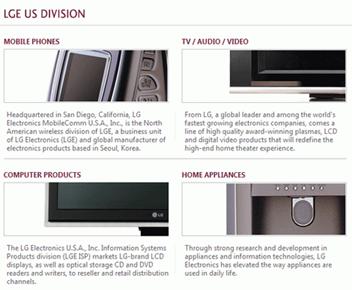
LG’s stated goal is to enhance customer’s life with intelligent features, intuitive functionality, and exceptional performance. 
Learn more about LG Electronics U.S.A. by visiting the company website: http://us.lge.com/


Drive overview
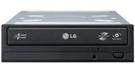
The LG GSA-H55LI is a Super Multi DVD burner capable of reading and writing DVD+R/RW/DL, DVD-R/RW/DL, DVD-RAM, and CD-R/RW formats with LightScribe capability and now from the leaders in Optical Drive Technology, experience a new level of data security with LG Super Multi Security.

“Super Multi” was coined by LG in 2003 and is an informal term describing DVD burners compatible with all existing DVD and CD formats.

Prior to 2003, DVD-RAM and DVD+R/DVD-R drives were separate devices. LG Electronics was the first company to release a drive that supported all three DVD formats. Several companies have since followed this strategy, making “multi” and “super multi” commonly used terms.


Drive Specifications

The specifications of the LG GSA-H55LI can be found on the LG Electronics website, however we have included them here also.

Drive Specifications
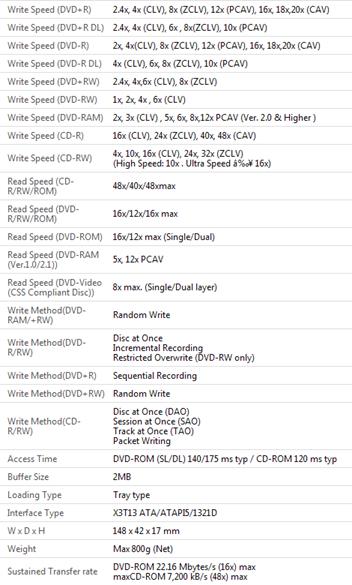
LG GSA-H55LI requires high-quality 16x media in order to reliably achieve 20x DVD burn speeds.  Fortunately, 16x Mitsubishi/Verbatim and Taiyo Yuden media is widely available in many countries.


The Retail Package

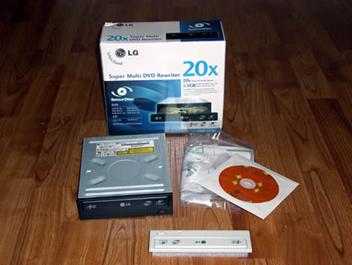
The drive we received was a retail package. It included everything needed for an easy installation:

  • Internal Super Multi 5.25” GSA-H55LI  Rewriter
  • Recording and authoring software disc
  • Quick Set-up Guide
  • Four Mounting Screws
  • Beige Front Panel and Tray Door Cover


Let’s take a closer look at the Retail Box:
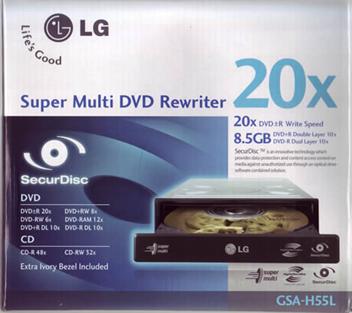
Box Front
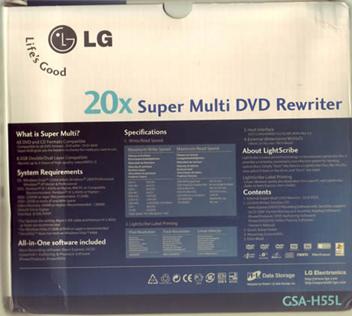
Box Rear
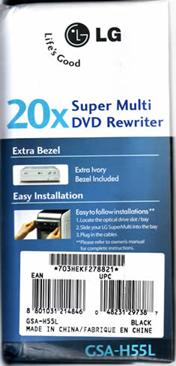
Box Left and Right sides
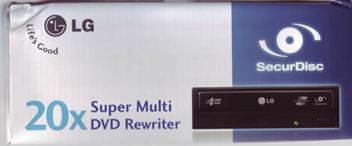
Box Top and Bottom

Now let’s take a closer look at the drive itself:
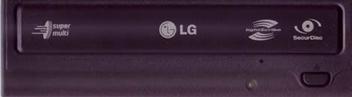
Drive Front
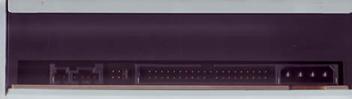
Drive Rear
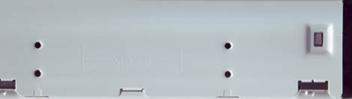
Drive Left

Drive Right
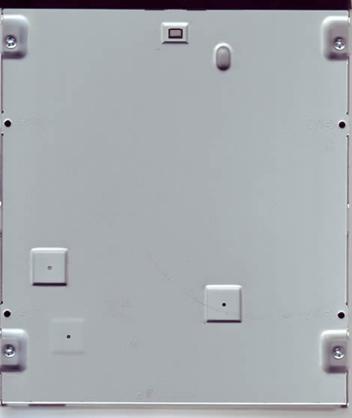
Drive Bottom
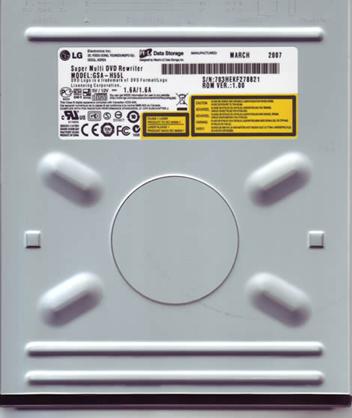
Drive Top
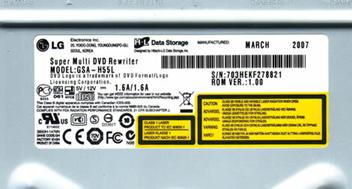
Drive Sticker
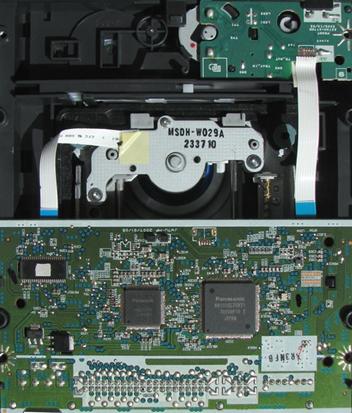
Inside Drive
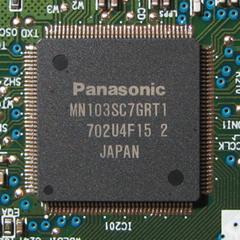
Drive Chipset



13 Comments

guest
Posts: 15288
Posted on: 23 Jul 07 07:20
Since when are Nero Express and InCD Cyberlink products?
guest
Posts: 15288
Posted on: 26 Jul 07 04:48
HALLO I WANT TO ASK ABOUT THIS DRIVE IS IT AN ATA 66 OR ATA 33(UDMA)
cd pirate
Posts: 3234
Posted on: 30 Jul 07 09:29
Awesome securdisc technology, I can now password protect my porn so people don't steal it or show my mum!
guest
Posts: 15288
Posted on: 02 Aug 07 15:29
Where I can buy this burner.. cant find anywhere?
royphil345
Posts: 16
Posted on: 23 Jan 08 01:33
I'm reasonably happy with mine, however this drive is a very slow DVD ripper and doesn't support disc quality scanning. The firmware updates claim to reduce noise during DVD playback, as well as improve write quality on some discs. I'm betting the reduced speed for playing DVDs also applies to ripping DVDs and the original firmware might have been better for DVD ripping. The drive doesn't cache audio CDs and is an excellent CD ripper for Exact Audio Copy. The read offset is +102. The write offset is +30. The drive is ATA 66 (UDMA mode 4).
guest
Posts: 15288
Posted on: 01 Mar 08 01:23
This is my favorite "burner" that I own however, my Lite-On 20A4P is my best "multi-purpose" burner because it rips extremely fast compared to this LG model. I get very high quality burns with this drive even with garbage media. The GSA-H55N or H55LI has riplock therefore it is intended to rip slowly because of the affect Hollywood has had on the industry. I don't know why LG has riplock though since many models do not. I hope their pockets were well padded for doing so! An advantage to a slow-ripper is that it could read heavily scratched media better so it doesn't have to be a downfall but it sure upsets all of the piraters . I bought mine at Newegg and the reason it doesn't support scanning is because it has a Panasonic chipset. If you need a drive for scanning then buy a burner with a MediaTek chipset. You can remove riplock by using MCSE and turn it into a really fast ripper but if you are like me you won't want to void your warranty unless your drive is more than a year old. This drive is they best quality burner that I have ever used! This drive is perfect when matched with a fast ripper like I have. I use the Lite-On to rip and the LG to burn and I haven't had a coaster in the year that I have owned them with at least 800, 4.38 GB disks burned from various brands and MID's. Even came across some fake TYG02 (Sonic brand from shop4tech) and it still came out great.
guest
Posts: 15288
Posted on: 17 Mar 08 09:52
I've bought this burner on 29/2 and it stopped reading CD's on 13/3. It's really loud, CD reading is as BAD as it can only be - i still need to use my old Teac 8x8x32 recorder to read scratched CD's. Wouldn't recommend it to my worst enemy.
guest
Posts: 15288
Posted on: 12 May 08 13:17
I just wanted 2 talk about d device,i just got one and it isnot working at all.pls can u tell me what 2 do
guest
Posts: 15288
Posted on: 09 Jun 08 04:08
bought mine 2 weeks ago worked once :S wont read the disks anymore. :c keeps prompting me to put a disk in. oh well next time i will pay the extra money and get a external.
guest
Posts: 15288
Posted on: 28 Aug 08 21:22
forgot password
guest
Posts: 15288
Posted on: 29 Dec 08 14:34
I am looking for securdisc 20x internal super multi dvd rewriter gsa-h55n p/n: may 38662808 ver.B thank you
guest
Posts: 15288
Posted on: 03 Feb 09 18:46
this drive sucks I dont know much about computer stuff but my mom puts this hunk of junk on are family computer and it works great for about 3 months but then it starts getting slow and then after warranty is gone it stops reading any disc put in it I would stay away from this product, all I want to do is play my video games and it cant even do that anymoor :c
runerz3
Posts: 3
Posted on: 05 Mar 09 18:59
I have neer burned a DVD before and actually got a new harddrive for my laptop. I have Cyberlink on my laptop with PowerProducer, Power Cinima ND for Everio and Power director express. not usre what they are. I tried copying a DCD and it will not let me because it says CSS PROTECTED, how do I get around it?

Post a comment