
Optiarc AD-7200A DVD Burner Review

Author

Dee
Senior Administrator and Reviewer
Article posted 05 Mar 08 22:12

Introduction


Review: Optiarc AD-7200A
Reviewed by: Dee-27
Provided by: CD Freaks
Firmware: 1.05
Manufactured: October 2007

Optiarc have taken their time to produce their own 20x drive. In this review we will be seeing how the new AD-7200A drive from Optiarc performs in our tests.

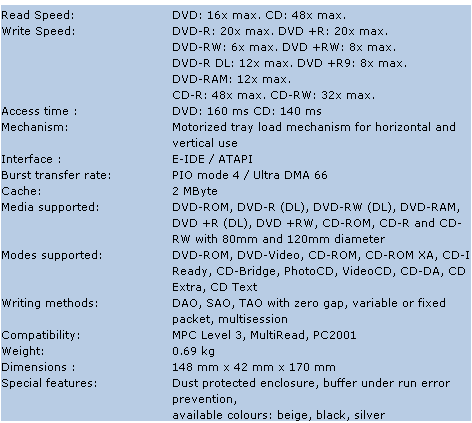
The Optiarc AD-7200A supports 20x DVD±R, 8x/6x DVD+RW/-RW, and 12x DVD+R/DL-R DL writing technology, allowing Double/Dual Layer discs of 8.5GB to be written. In addition this drive also supports DVD-RAM reading and writing at 12x.

Drive Specifications


We found the specifications of the Optiarc AD-7200A at the Optiarc website
 

What’s inside the box


Now it’s time to take a look at the drive itself and what the drive came shipped with.
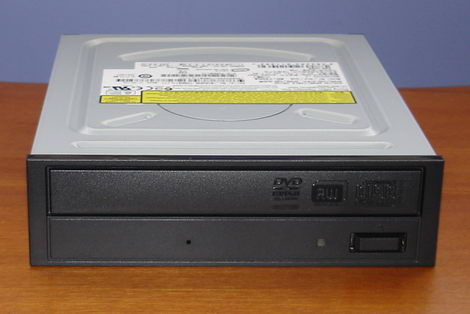
Our package was the bulk version and contained the Optiarc AD-7200A drive.

Now let’s take a look at the drive.
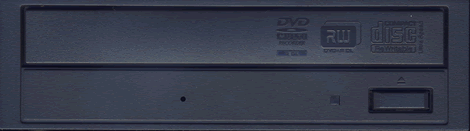
The bezel of the Optiarc AD-7200A is plainly styled. We can also see various logos, an emergency eject hole, single green LED and an eject button.
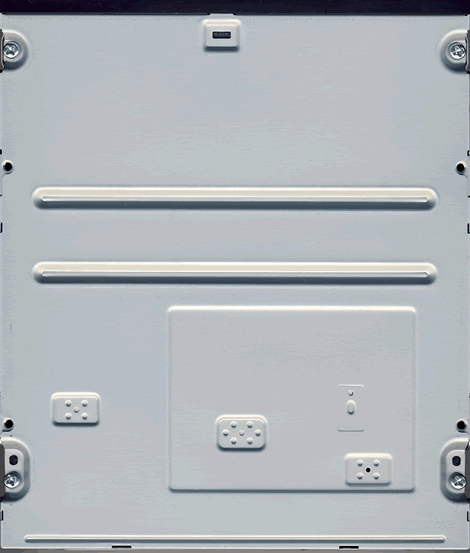
Drive top
Drive bottom
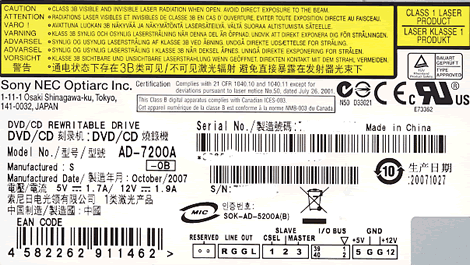
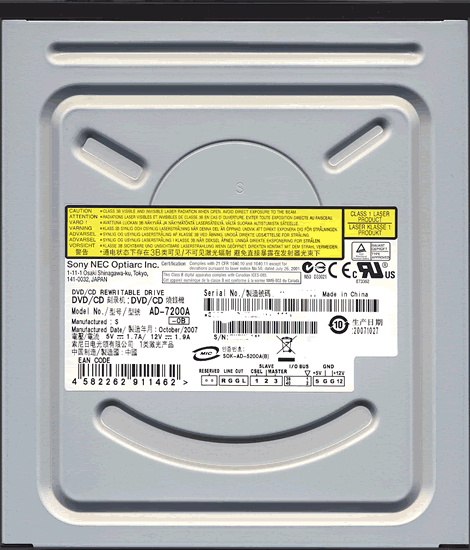
On the top of the drive we found one label and we can see the drive was manufactured in China during October 2007.

On the rear of the drive we can see an digital and analogue audio connectors, jumpers for cable select, slave and master. We can also see an IDE connector and power connector.

Now let’s head on to the next page were we can take a look at the features of the drive….


10 Comments

guest
Posts: 15284
Posted on: 06 Mar 08 13:01
I'd no 7200A, I'd a 7203A DVD+RDL: excellent DVD+R/-R: very good - excellent CD-R: TY(12x, 5y old) not readable CD-RW: noname (from Feurio, 10x, 5y old) not readable DVD+RW: Verbatim 8x (MKMA03) not readdable, I've only 1 test medium Philips041 with performance problems when formatted on other drive (Pioneer 106 / Benq 1650) you say: simply excellent .... take a look at c't 03/08 magazine
Dee
Posts: 11836
Posted on: 06 Mar 08 18:31
Simply look at the results.
jcusimano2
Posts: 1111
Posted on: 20 Apr 08 19:02
This burner is an excellent quality burner I had one shipped from the UK to the US :S
guest
Posts: 15284
Posted on: 08 May 08 15:21
I'm getting even less PI & PIF than on your tests while burning DVD+R DL (Verbatim of course). Averagely 14000 PI (~0.49) & 640 PIF (~0.02). I used a Lite-On LH-20A1H to check the results. That's really an amazing good quality burner.
whitegandalf81
Posts: 3
Posted on: 30 Oct 08 00:16
Burned DVDs (Verbatim +R 16x) are not readable and playable on my LG standalone player.
imnotcrazy
Posts: 6
Posted on: 23 Jan 09 05:43
it worked fine when i first got but now it says that the drivers are corrupt or missing and when i try to update them it says that i have all the latest ones can anyone help me
guest
Posts: 15284
Posted on: 09 Mar 09 08:01
i related my cd wr 7200a but it does not work . what i can do for it ?
guest
Posts: 15284
Posted on: 27 Apr 09 11:48
it keeps picking up on an Audio CD but that's it. The drivers that it is using says cdrom, but i can't update the drivers to anything else. Does anyone have any ideas? I'd really appreciate some help...
guest
Posts: 15284
Posted on: 11 May 09 20:04
Desejo orientação. Meu Optiarc AD-7200A não grava mas lê. Comprei em Dec132008, funcionando bem. Desde abril 2009 apresenta este problema. Obrigado. Moisés Dias
guest
Posts: 15284
Posted on: 17 May 09 02:10
"Posted by md (guest) on Monday 27 April 2009 11:48 it keeps picking up on an Audio CD but that's it. The drivers that it is using says cdrom, but i can't update the drivers to anything else. Does anyone have any ideas? I'd really appreciate some help..." --mine is doing the same thing...after i restored my computer. it worked perfectly before, now when i try to burn a cd in real player, it can't detect a burner. wtf! i tried to get firmware, but the drive won't let it work. I NEED HELP! I also notice in my device manager, i have two primary ide's...is that supposed to be???

Post a comment

Hello guest,
default
To benefit from all extra features you need to log in or sign up.














