
|
|
Review: Samsung Spinpoint F1 HD103UJ |
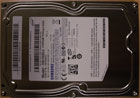
The HD103UJ was Samsung’s first harddisc to reach the 1TB (=1000GB) barrier. The 3.5” drive features a SATA2 interface for connection to the PC.
In this review we will test the performance of the Samsung HD103UJ drive.
Samsung Company Information
Founded as “Samsung Store” in 1938 Samsung has grown to South Korea’s largest company that now manufactures all kind of things. From our previous reviews you may already know their DVD burners. Besides that you may find cell phones, refrigerators, flash chips, LCD screens and harddiscs to name just a few of their products.
Further company information can be found on Samsung’s website or on Wikipedia.
Drive specifications
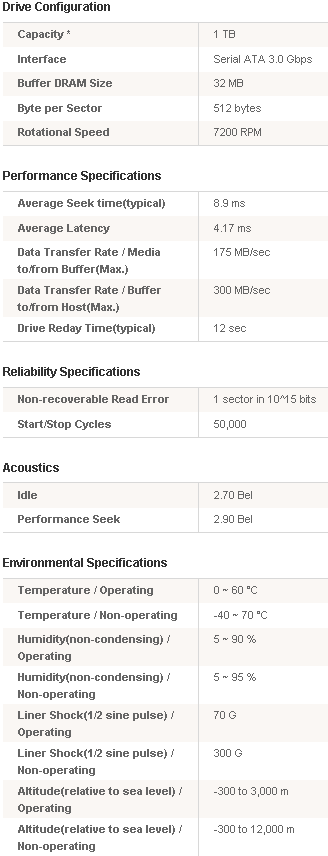
We found the HD103UJ’s specification on Samsung’s website:
What’s inside the box
Now it’s time to take a look at the drive itself and what the drive came shipped with.
Our package was the bulk version.

The bulk drive was enclosed in plastics to avoid transportation damage.
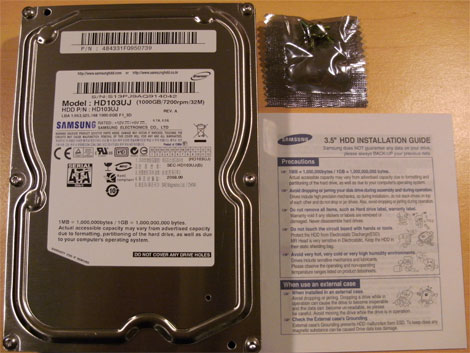
We can see that the Samsung HD103UJ comes with a set of screws and an installation guide.
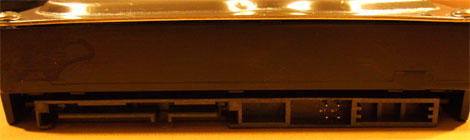
A look at the drive’s connectors
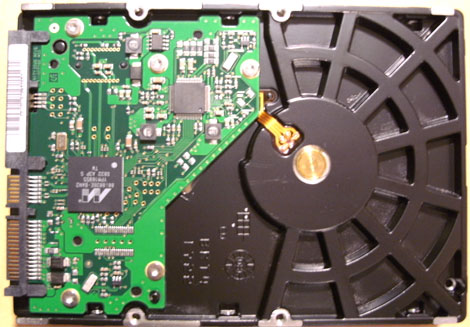
Here you can see the drive’s PCB
Drive capacity
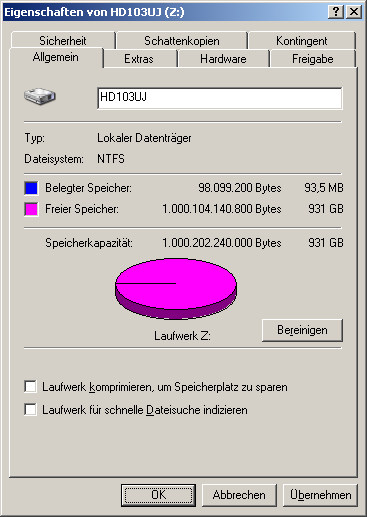
Windows XP reports the drive has a usable capacity of 931 GB. The difference between the announced 1000 GB and the reported capacity is caused by drive manufacturers calculating with multiples of 1,000 while Windows calculates with multiples of 1,024.
Test machine
For this review we will be using a computer with the following configuration:
Hardware:
- Motherboard: Gigabyte GA-EP35-DS3R
- Processor: Intel Core2Duo E8400
- RAM: 4 GB (2*2GB) OCZ PC2-6400U CL5 XTC OCZ2G8004GK
- GFX: Sapphire HD 3850 Ultimate 512MB PCIe
- Sound: Onboard Realtek HD Audio controller
- Hard disk: Samsung HD103UJ
- PSU: BeQuiet Dark Power Pro P7-450W
- Operating System: Windows XP Professional (32 bit) with SP3
Drive Capabilities
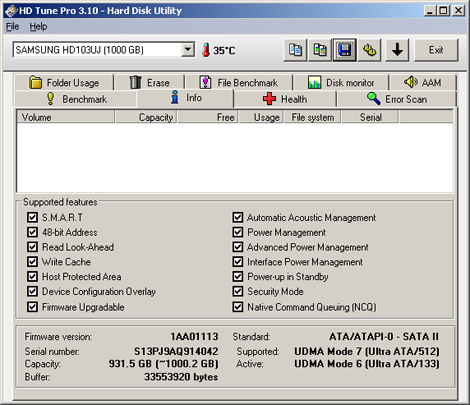
The drive provides the expected features like S.M.A.R.T, 48-bit addressing, AAM, Power Management or Native Command Queuing. The drive’s firmware version is 1AA01113.
Instead of just setting a jumper you need to run software that is available for download from www.samsunghdd.com in order to change the drive’s SATA mode in case your controller has compatibility issues with SATA-2 mode. This will make things complicated if you do not have a PC that can recognize the drive in SATA-2 mode. Fortunately this only affects some boards with older VIA chipsets.
Test applications
To test the performance of the Corsair Flash Survivor, we will be using the following test applications in this review.
All tests except for the HD Tune Pro file benchmarks were run with the drive being unpartitioned.
Now let’s head to the next page where we will test out reading performance...















