LiteON eHBU212 USB3 external BD-RE review

Author

Vroom
Senior Moderator and Reviewer
Article posted 21 Oct 11 15:06

Introduction & features of the drive

Capture

Review: LiteON eHBU212
Reviewed by: Vroom
Provided by: Liteon
Firmware: RL15
Manufactured: March 2011


Liteon was kind enough to send us the eHBU212 USB3 external Blu-ray writer for review. The drive supports 12x Blu-ray writing and 8x reading, in addition, this drive also supports DVD+R/DL /RW 16x/8x/8x, DVD-R/DL/RW 16x/8x/6x DVD-RAM 12x and CD-R/RW 48x/24x writing and 48x reading for CD-R/RW and 16x DVD±R/RW. For more information about the eHBU212 and Liteon you can visit their website by clicking this link.

Drive Specifications


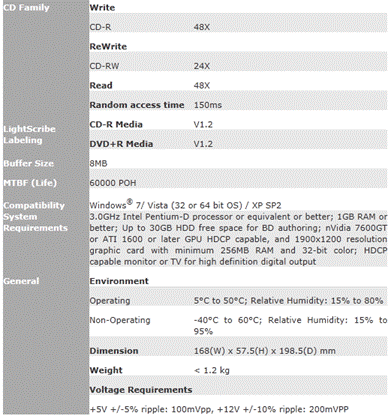
Let’s start first by showing the full specifications of the drive as they appear on the Liteon website.
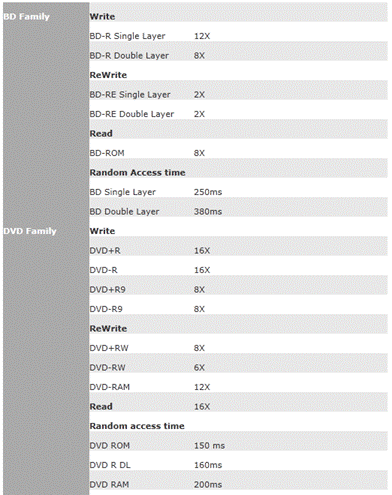
Drive Specifications
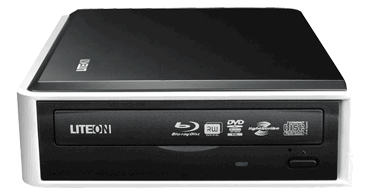

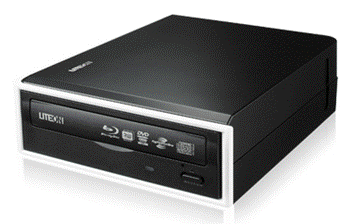
Nice and stylish, the black drive with the white outline on the front and the left side of the drive gives a different style that separates the drive from the majority of black external cases. The drive has the usual logos, a green LED, the emergency eject hole and the eject button.
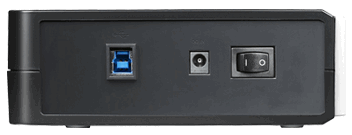
On the rear of the drive there is the USB3 port, the power in socket and the on/off switch.
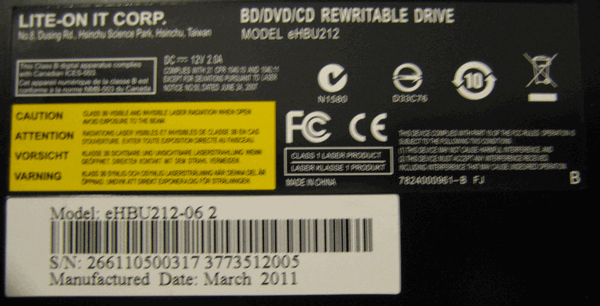
On the Sidebottom of the drive we can see the model of the drive, serial number and the manufacturing date (March 2011).
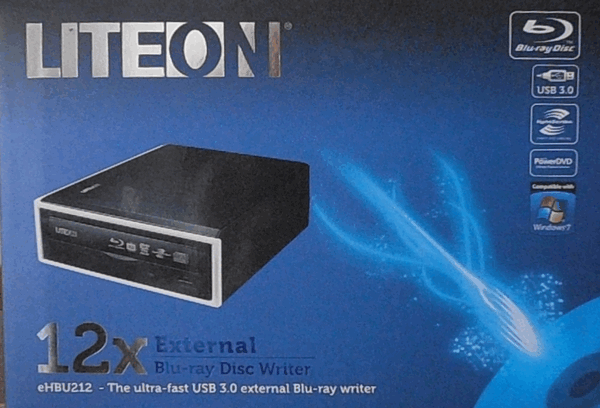
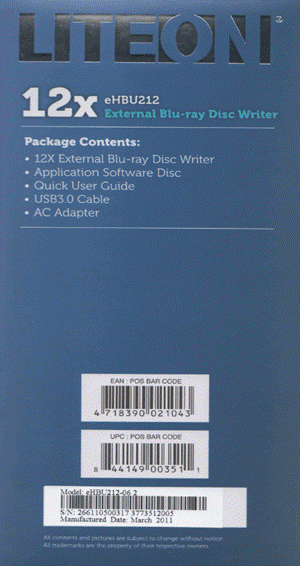
The front side of the box.
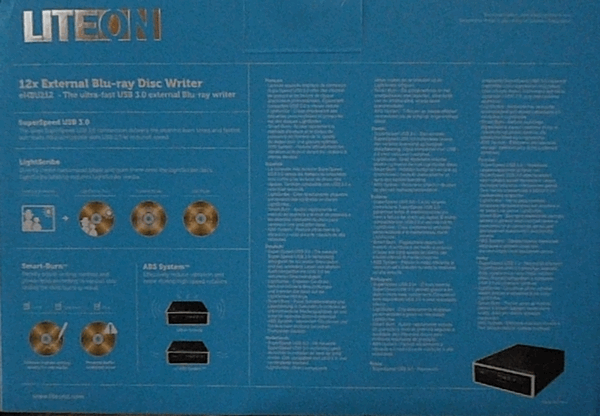
Rear of the box.
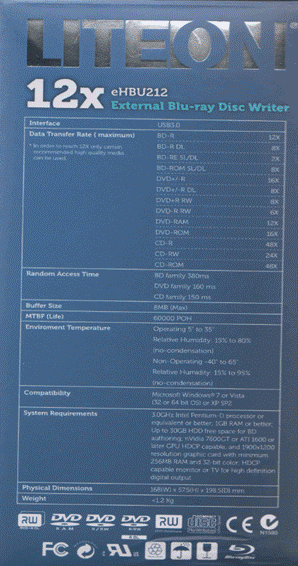
The left and right side of the box.
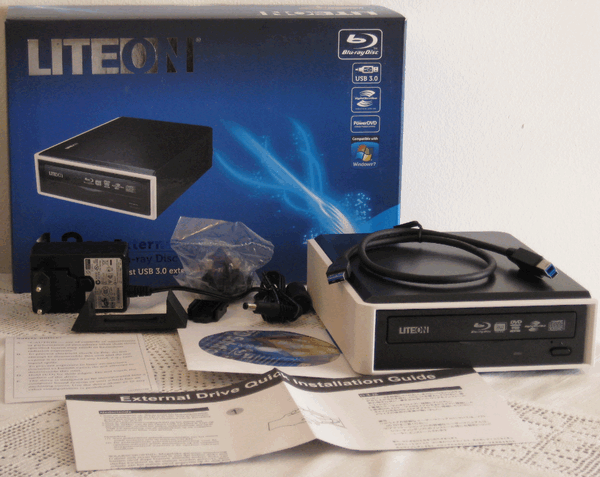
Inside the box there is the drive, a USB3 cable, the application software disc, a quick user guide and an AC adapter.
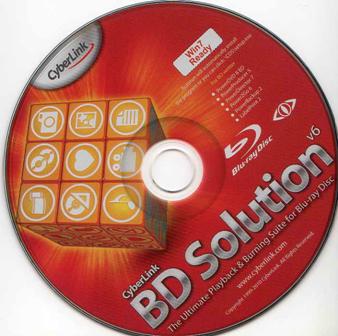
The Liteon eHBU212is supplied with CyberLink’s BD Solution v6 and includes the following applications.

  • PowerDVD 8
  • PowerProducer 5
  • PowerDirector 7
  • Power2Go 6
  • PowerBackup 2
  • Label print 2


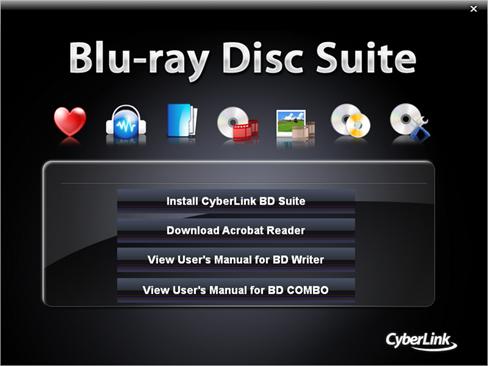
Software install screen.

Now let’s move to the reading performance of the drive…

17 Comments

jamescooley1
Posts: 8473
Posted on: 21 Oct 11 18:31
Thank You for the excellent review, Vroom. I think they need to improve on the firmware somewhat.
vroom
Posts: 6731
Posted on: 21 Oct 11 19:56
I hope that they do that.
Im a PC
Posts: 58
Posted on: 22 Oct 11 18:31
No BD-R burns at 12x? Weak sauce...
2601
Posts: 1846
Posted on: 24 Oct 11 05:15
The Drive can burn SONYNN3(002), RITEKBR3(000) & MEIRA1(001) at 12x speed but only vroom does not have these discs.
vroom
Posts: 6731
Posted on: 01 Nov 11 09:36
maxell 4x @ 12x not the best result, but consider that fact that this is a ritek disc, it's ok and it would have been better if there wasnt that slowdown at the end.

http://club.myce.com/f142/liteon-ehbu212-324422/#post2609884
zap em
Posts: 1136
Posted on: 09 Jan 12 03:58
VROOM,
I got a LG BLUERAY burner as a gift. I think it;s great[ I don't know about the lite-on]
but, The LG makes great copies of blueray to blueray. It also has blueray 3d.
ZAP.
vroom
Posts: 6731
Posted on: 09 Jan 12 10:40
Quote:
Originally Posted by zap em View Post
VROOM,
I got a LG BLUERAY burner as a gift. I think it;s great[ I don't know about the lite-on]
but, The LG makes great copies of blueray to blueray. It also has blueray 3d.
ZAP.
That's good for you, also 3D has more to do with your monitor and your graphics card, and less with the drive.
zap em
Posts: 1136
Posted on: 22 Jan 12 01:11
VROOM
I meant no offence. I was just pointing out the features on
another model.
vroom
Posts: 6731
Posted on: 22 Jan 12 10:02
Quote:
Originally Posted by zap em View Post
VROOM
I meant no offence. I was just pointing out the features on
another model.
None taken, you can voice your opinion freely.
adelphia83
Posts: 327
Posted on: 06 Feb 12 04:51
How does one go about disabling the Smart Burn feature, as was done in the review?

I can't seem to get the drive to burn BD-R faster than 4X for the life of me.
deanwitty
Posts: 1547
Posted on: 06 Feb 12 05:43
Quote:
Originally Posted by adelphia83 View Post
How does one go about disabling the Smart Burn feature, as was done in the review?

I can't seem to get the drive to burn BD-R faster than 4X for the life of me.
We will need more details to get started. What discs are you using? Disabling SmartBurn will not allow the drive to burn discs that are limited by the firmware's write strategy to 4x any faster than that. And you probably would not want it to, unless your supply of coasters is running low. Is the drive connected to USB3 port and not USB2? What burning software are you using? You may want to use Imgburn Discovery or OptiDriveControl disc info to learn what speeds are allowed by your BD-R's.
vroom
Posts: 6731
Posted on: 06 Feb 12 11:15
Quote:
Originally Posted by adelphia83 View Post
How does one go about disabling the Smart Burn feature, as was done in the review?

I can't seem to get the drive to burn BD-R faster than 4X for the life of me.
You can use IMGBurn to or the EErprom Utility to disable the smart burn.
adelphia83
Posts: 327
Posted on: 09 Feb 12 02:59
Quote:
Originally Posted by vroom View Post
You can use IMGBurn to or the EErprom Utility to disable the smart burn.
Many thanks! Now have my Verbatim's burning nicely at 6X like they're rated.

Even got a PhilipsR04 (?) disk to burn at 10X.. Quality to be determined, but nice to know the drive is capable.
vroom
Posts: 6731
Posted on: 09 Feb 12 14:24
Quote:
Originally Posted by adelphia83 View Post
Many thanks! Now have my Verbatim's burning nicely at 6X like they're rated.

Even got a PhilipsR04 (?) disk to burn at 10X.. Quality to be determined, but nice to know the drive is capable.
Posting some quality scans would be nice, nice to see that you can burn your disc at the selected speed.
deanwitty
Posts: 1547
Posted on: 09 Feb 12 15:47
Quote:
Originally Posted by vroom View Post
Posting some quality scans would be nice, nice to see that you can burn your disc at the selected speed.
Hi Vroom,

Does this drive allow full speed burning with SmartBurn enabled if you are using ImgBurn to do the burning? A few of us have found that a burn speed issue seems to result from Discspeed or ODC having very limited/uneven BD-R burning ability as you suspected, solved by using ImgBurn for burning the test disc, and saving a snapshot of the ImgBurn burn graph with ODC.
vroom
Posts: 6731
Posted on: 09 Feb 12 19:26
Quote:
Originally Posted by deanwitty View Post
Hi Vroom,

Does this drive allow full speed burning with SmartBurn enabled if you are using ImgBurn to do the burning? A few of us have found that a burn speed issue seems to result from Discspeed or ODC having very limited/uneven BD-R burning ability as you suspected, solved by using ImgBurn for burning the test disc, and saving a snapshot of the ImgBurn burn graph with ODC.

Hi Dean.

Well i was able to reach 12x with Ritek media, and also the disc had a good scan. I remember that the burn was done with IMGBurn, also notice that i had speed issues with nero11 and imgburn.
I dont remember what firmware i was using at that time, CLOK i believe, but disabling the smarburn did the trick.
dewd
Posts: 222
Posted on: 09 Mar 12 06:10
Thanks for the review. I ordered this drive today - it will be my first BD burner. I mainly wanted a reader but with the price of the writer on a bit more I grabbed it.

Post a comment

Hello guest,
default
To benefit from all extra features you need to log in or sign up.

About this category

Blu-ray writers & players

  • Blu-ray has won the war for the new high definition optical format. More frequently manufacturers are presenting laptops and desktops which feature a blu-ray drive. Blu-ray players are only able to read Blu-ray (and CD/DVD) media, whereas Blu-ray writers are able to write Blu-ray, CD and DVD media. At the moment blank Blu-ray drives are still rather expensive though, but Blu-ray offers high storage capacity which makes it an excellent back-up medium.More about this
FAQsWhat is BD-Live?