Article index
Author
Introduction
|
|
Review:
OCZ RevoDrive X2 – 240GB |
OCZ Technology was kind enough to send us their latest high performance PCIe solid state drive for review; the MLC based RevoDrive X2 240GB. The RevoDrive X2 series of drives are fairly unusual in that they are not housed in either a 2.5 form factor case, or indeed a 3.5 inch housing. Instead OCZ have built what can only be described as an extreme SSD solution. Instead of using a slow SATA interface, the RevoDrive X2 is mounted on a x4 PCIe card. This removes the shackles and allows the extreme performance that the RevoDrive X2 can deliver.
The specifications of the OCZ RevoDrive certainly have the
“drool factor”.
There are 4 SandForce SF-1200 series SSD controllers onboard, each with its own
bank of 34nm MLC NAND, with capacities ranging from 100GB right up to 960GB.
- Read speeds at up to 740MB/s
- Write speeds at up to 720MB/s
- 4K random writes at up to 120,000 IOPS
- RevoDrive X2 can be used as a boot drive or as a storage drive
The specifications of the OCZ RevoDrive X2 are certainly very impressive, but can the RevoDrive X2 really deliver this level of performance?
So let’s find out how this new SSD performs in our range of benchmarks and real world tests in this review.
OCZ Technology company information
I’m sure most MyCE members will be familiar with the OCZ Technology brand name. OCZ has been manufacturing high performance PC memory, SSDs, and other PC related hardware for many years.
If you would like to find out more about OCZ Technology, you can visit the OCZ Technology website.
Packaging
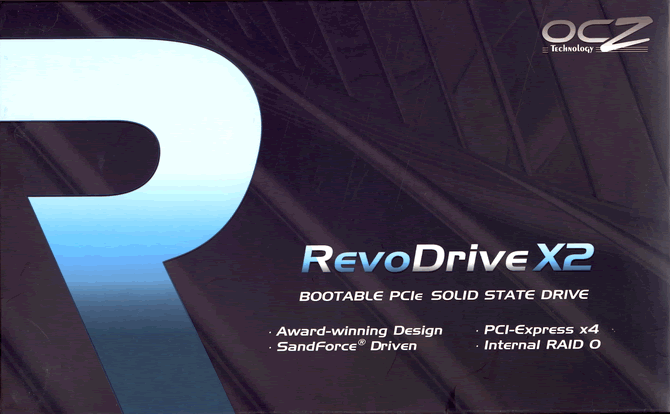
Box front
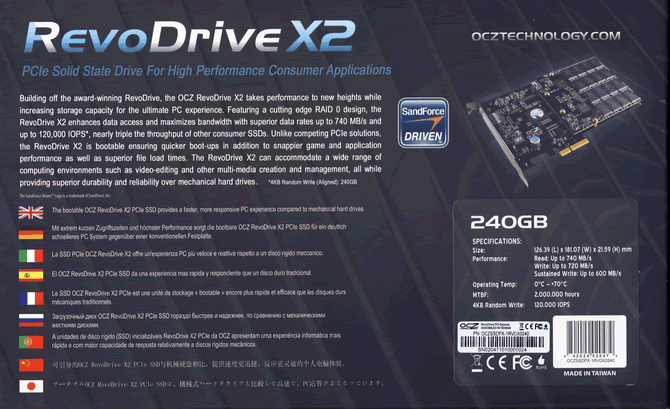
Box rear
Internal box
Inside the outer box, you will find a more robust box, which contains the RevoDrive X2. This box is a strong affair, made from quite thick cardboard.
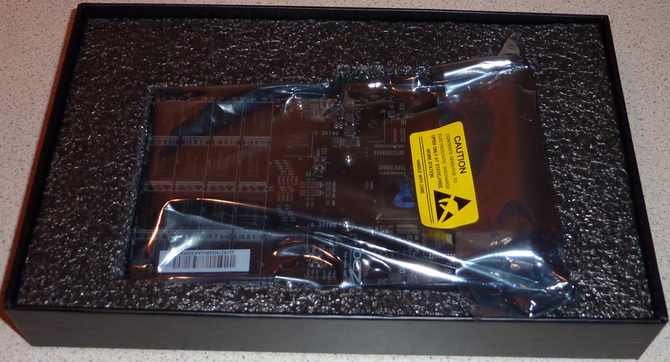
Internal packing
Inside the internal box we can also see the RevoDrive X2 PCIe x4, and the card is well protected by foam packing.
What’s inside the box
Now it’s time to take a look at the drive itself and what it came shipped with.
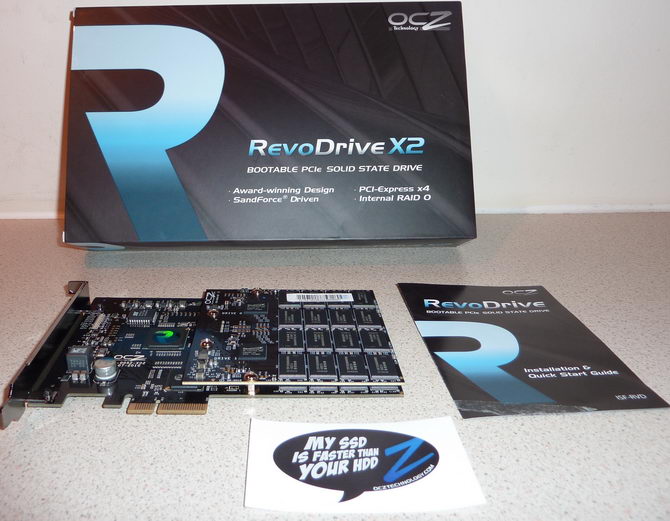
The package contained the OCZ RevoDrive X2, a nice label to place somewhere prominent on your PC case to make your friends drool, and instruction booklet.
Now let’s take a look at the drive itself.
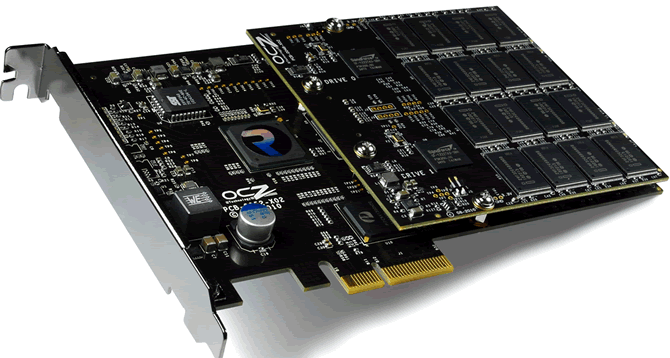
RevoDrive X2 240GB
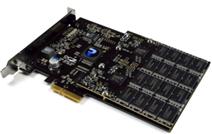
As we have already seen, the RevoDrive X2 is housed on a PCIe x4 card. What we have is basically four OCZ SandForce SF-1200 series based SSDs, minus the SATA and power connectors. Each of the four SSDs have their own SandForce SF-1200 series SSD controller, and their own bank of Intel branded 34nm MLC NAND. In the case of our review sample which has a capacity of 240GB, each bank of NAND is 64GB in capacity.
Each of these (internal) SSDs is connected to a Silicon Image SiI 3124 RAID controller in a RAID 0 configuration (by default), and in turn, the SiI 3124 is connected to a Pericom PI7C9X130 PCIe to PCI-X bridge.
The original RevoDrive came supplied with two SandForce SF-1200 series controllers, and two banks of 34nm MLC NAND. The RevoDrive X2, as we have already stated has four SandForce SF 1200 series controllers and four banks of 34nm MLC NAND. The extra two controllers and banks of NAND are fitted by means of the daughter board which we can see in our above screen shot.
OCZ RevoDrive X2 Specifications
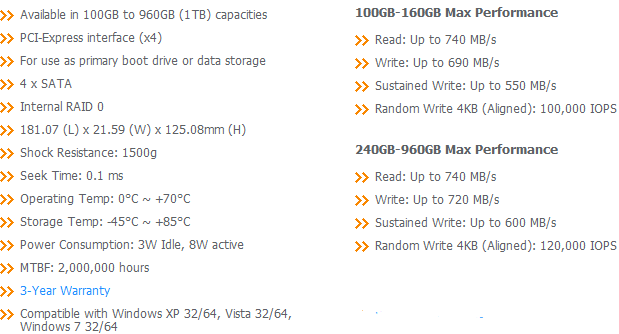
We found the specifications of the drive at OCZ Technologies website.
Drive maintenance features
With the RevoDrive X2 using a RAID 0 configuration, there is no TRIM support at present, so the RevoDrive X2 will have to rely on the effectiveness of its own garbage collection algorithms. If this turns out to be as good at the OCZ Vertex 2, then there is certainly no need to worry about the lack of TRIM, as the Vertex 2 is very capable of maintaining its performance, even without TRIM.
From the short time I have been using the RevoDrive X2; there is certainly no evidence of performance dropping off due to the lack of TRIM support.
Secure Erase
Despite what other sites have said about “Secure Erase and the OCZ RevoDrive and RevoDrive X2”. The drive does support internal Secure Erase, and it’s certainly possible and very easy to Secure Erase the RevoDrive X2.
Internal Secure Erase (SE) on an SSD that supports it, will restore all NAND on the drive back to its clean (factory default) state.
You will require a special Linux distribution to secure erase the RevoDrive X2 using a point and click GUI, but most Linux distributions will secure erase the RevoDrive X2 via the terminal application within Linux.
In either case, all that is required is a small USB flash drive/stick or a blank CD to accommodate the “Live” Linux distribution. I can certainly recommend the point and click GUI version. Don’t panic about the word “Linux” being used here, it’s all very simple to use.
Praz over at OCZ has produced an excellent, easy to follow guide for the GUI version. It’s a very worthwhile read.
You can find the article and everything you will need, here.
Now let’s head to the next page, where we look at the SandForce SF-1200 SSD controller.

26 Comments
Absolutely amazing performance!

Wombler
Love your reviews.
Good review.
Got myself a Corsair 160GB Force series SSD Sata 2
Any comment on this drive??
I think it is slow compared to the OCZ Drive on your review.
As usual, you are on point.
Your efforts are always beyond the the call of duty.
Nuff appreciation.
Thank you.
Currently, there is nothing in this price range that comes anywhere close to the performance of the RevoDrive X2, IMO.
@ChrisKruger
The Corsair Force series about equal to the OCZ Vertex 2 regarding performance.
At least I know my drive is equal to the OCZ Vertex 2
Any suggestions what drive to use for backup and other data storage. Maybe the F3 in your review. Or two of these in a raid 0 configuration.
<CENTER>
</CENTER> |
I need some info regarding the Corsair 160GB Force series SSD Sata 2 Can I format this drive with the program format in windows vista. I want to install windows7 home 64bit edition??
|
If you are going to install Win7, just leave it be. When you boot to install Win7, when you get to the main install screen, then select advanced options. Then do the following, making sure you have already backed up any data you want to keep from your existing Vista partition.
1, Delete the SSD partition
2, Select install to the unpartitioned space. Win7 will create and format the partition for you, making sure the partition is aligned correctly.
Thanks Dee.<?xml:namespace prefix = o ns = "urn:schemas-microsoft-com
ffice
ffice" /><o
></o
>Now I can install window7 without damaging my SSD. For more info is there any reason why can’t I do a full format on a SSD? <o
></o
><o
></o
> 1 This drive can only be formatted with a quick format.
2 Don't do a full format on this drive reason ???
3 This drive should not be defragged reason ???
4 Drivers for this drive are located at www. ???
This will help people like me who have a very limited knowledge of SSD drives to under stand more of these drives.
No need to defrag an SSD drive, mainly because you put unnecessary read/write on the drive, and also you wont improve anything, access times or read/write speeds.
|
This will help people like me who have a very limited knowledge of SSD drives to under stand more of these drives.
|
This info is of great importance for all people to understand the tecnical side off SSD Drives.
A quick format only rewrites LBA table on the drive, whereas a full format will write to every single block on the drive. This is bad for an SSD, as you'll lose a write cycle, but worse than this, in a single stroke with a full format, the drive will be in a fully used state, and require a full TRIM event and possibly a secure erase to return performance.
Drivers are not required for SATA SSDs, the motherboards on-board SATA controller requires drivers which are installed when you install the OS.
PCIe SSDs like the RevoDrive X2 requires a driver, but a link is provided in the drives documentation.
|
How did you get such a fast boot-up time. Did you have to tweak anything through bios or any software downloads to get a fast boot-up. I've currently got this drive and I'm booting up from the start where it shows you all the drives installed insdie your computer to when you have a usable p.c and it takes me 33-35 seconds. People are getting low 20's to mid 20 seconds. How are they getting it, can someone tell me and inform me as to what they are doing please!
|
G1 Assassin motherboard
990x cpu (watercooled)
Dual HD 6990 graphic cards
12gb Corsair Dominator GT Ram 2000mhz
1500w power supply
OCZ Revodrive X2 240gb (positive)
That is my specification of my computer.
|
You should post your computer specs and are you sure it's a Revo 2? Revo's are very fast too but not as fast as the Revo2.
|
G1 Assassin motherboard
990x cpu (watercooled)
Dual HD 6990 graphic cards
12gb Corsair Dominator GT Ram 2000mhz
1500w power supply
OCZ Revodrive X2 240gb (positive)
That is my specification of my computer.
@Jonnyboy...Do you really have Dual HD 6990 graphic cards...If so...WHY???
The OCZ Revo X2 240 is currently down to only $578 at Amazon-eh!!
|
Yo-
The OCZ Revo X2 240 is currently down to only $578 at Amazon-eh!! |
JMHO. |
That may be a nice price bigmike7, but I don't believe anyone needs a drive that fast. I put just as much into my builds as the next guy, but I would never spend $578.00 for a 240gbs SSD in my life. Call me cheap, I just don't belive the price justifies the end result.
JMHO. |
My comment was ment to be read as satire-eh!
About this category
Solid State (ssd)
- Relatively new way of storing data in PCs / Laptops. Solid State Drives (SSDs) have no moving parts which means they're completely silent. Another advantage is that the more expensive SSDs offer better performance than traditional hard disk drives. However, the prices for these more advanced drives are still rather high and the storage capacity relatively low, preventing SSDs to go mainstream still.More about this